












Review by CoMod JoergW of Carrera DIGITAL 124 the
/132 Control Unit
(Item No. 30352)
The Control Unit replaces the previous Black Box and, in addition to its basic function, serves as a power supply and connection point for the handheld controllers used to program various digital functions—but more on that later.
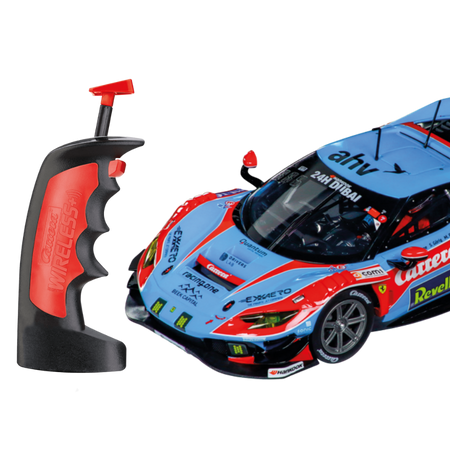
The handheld controller expansion box can be connected even with older ProX controllers. Equally welcome is the news that even the older wireless controllers (from the ProX era with DIP switches) can be used.
In terms of operation, the new Control Unit resembles the old Black Box. Significant differences are only noticeable in the details. The additional “Speed,” “Brake,” and “Fuel” buttons are easy to assign, and you can adjust braking behavior, top speed, or fuel level without consulting the user manual. However, things get tricky at the latest when you set the option “Pit stop passage does not count as a lap.” The user manual is essential here, since not only
do you need to make settings on the Control Unit (with the unit turned off, press the “Speed” button, turn it on, and release the button) , but the pit stop lane must also be connected directly to the Control Unit’s circuit. Afterward, it can be placed where you’ve planned it in the track layout. It sounds more complicated than it actually is, and you won’t have to do this very often later on.
The Autonomous Car’s settings are very responsive, and even after more than 100 laps on a small starter track, it didn’t veer off the track. Since the Autonomous Car uses the turnouts unpredictably and doesn’t need to refuel, it isn’t a real opponent on the track, but it’s at least a game-enhancing feature with a high fun factor. Good to very good lap times are then significantly harder to achieve, and even in multiplayer mode it’s no walk in the park, since there’s no predictability from human opponents here either! Having a third driver on the track practically forces you to use the turn-offs, even if it means straying from the ideal line.
The pace car really only makes sense with two pit lanes—one for refueling and one for the pace car. The latter is activated via the “Code” button on the control unit and then enters the pit lane.
During the race, the vehicle exits the pit lane at a speed that was also set beforehand when the “Pace Car” button is pressed, and remains on the track until the “Pace Car” button is pressed again.
CoMod Joerg
* * * * * * * * * * * * * * * * * * * * * * * * * * * * * * * * * * * * * * * *
CoModCarrera
124 review of
the Carrera DIGITAL 124
/132 Control Unit
(Item No. 30352)
The Control Unit is the central component of the new digital components and is required for using the new elements. And first things first: the Control Unit is compatible with the older wireless controllers that have DIP switches on the top.
Connectors:
The available connectors largely correspond to those already familiar from the Blackbox. Only the module socket has been removed, so the following connections are available:
Lap
counter, PC unit, handheld controllers 1–4 (the first two of which
are also used to connect the wireless receiver towers ), handheld controller expansion box (for 6 wired handheld controllers), power supply, buttons.
There have been a few more changes here compared to the Blackbox:
On/Off slide switch, Start button,
Pace Car, slide switch for fuel function with a new mode: Off/On/Real. In
addition, there are four new buttons for:
Speed adjustment
, Braking behavior adjustment
, Fuel level adjustment,
and Vehicle coding. Functions.
When looking at the Control Unit on its own, the additional buttons for vehicle settings are the first thing that catches the eye. Assigning a vehicle to a handheld controller is thus much easier than with the black box, as are the settings for maximum speed, fuel capacity, and braking behavior.
Also noticeable are the two sensors on the track surface, which were previously only found on the lap counter. Consequently, the Control Unit takes over at least some of the lap counter’s functions here. However, the Control Unit’s full potential is only realized in combination with the new accessories.
Some important settings for the new accessories are not configured on the accessories themselves, but rather via a programming sequence on the Control Unit. These programming sequences are summarized in the Control Unit’s user manual.
CoModCarrera 124
(Item No. 30352)
The Control Unit replaces the previous Black Box and, in addition to its basic function, serves as a power supply and connection point for the handheld controllers used to program various digital functions—but more on that later.
The handheld controller expansion box can be connected even with older ProX controllers. Equally welcome is the news that even the older wireless controllers (from the ProX era with DIP switches) can be used.
In terms of operation, the new Control Unit resembles the old Black Box. Significant differences are only noticeable in the details. The additional “Speed,” “Brake,” and “Fuel” buttons are easy to assign, and you can adjust braking behavior, top speed, or fuel level without consulting the user manual. However, things get tricky at the latest when you set the option “Pit stop passage does not count as a lap.” The user manual is essential here, since not only
do you need to make settings on the Control Unit (with the unit turned off, press the “Speed” button, turn it on, and release the button) , but the pit stop lane must also be connected directly to the Control Unit’s circuit. Afterward, it can be placed where you’ve planned it in the track layout. It sounds more complicated than it actually is, and you won’t have to do this very often later on.
The Autonomous Car’s settings are very responsive, and even after more than 100 laps on a small starter track, it didn’t veer off the track. Since the Autonomous Car uses the turnouts unpredictably and doesn’t need to refuel, it isn’t a real opponent on the track, but it’s at least a game-enhancing feature with a high fun factor. Good to very good lap times are then significantly harder to achieve, and even in multiplayer mode it’s no walk in the park, since there’s no predictability from human opponents here either! Having a third driver on the track practically forces you to use the turn-offs, even if it means straying from the ideal line.
The pace car really only makes sense with two pit lanes—one for refueling and one for the pace car. The latter is activated via the “Code” button on the control unit and then enters the pit lane.
During the race, the vehicle exits the pit lane at a speed that was also set beforehand when the “Pace Car” button is pressed, and remains on the track until the “Pace Car” button is pressed again.
CoMod Joerg
* * * * * * * * * * * * * * * * * * * * * * * * * * * * * * * * * * * * * * * *
CoMod
(Item No. 30352)
The Control Unit is the central component of the new digital components and is required for using the new elements. And first things first: the Control Unit is compatible with the older wireless controllers that have DIP switches on the top.
Connectors:
The available connectors largely correspond to those already familiar from the Blackbox. Only the module socket has been removed, so the following connections are available:
Lap
counter, PC unit, handheld controllers 1–4 (the first two of which
are also used to connect the wireless receiver towers ), handheld controller expansion box (for 6 wired handheld controllers), power supply, buttons.
There have been a few more changes here compared to the Blackbox:
On/Off slide switch, Start button,
Pace Car, slide switch for fuel function with a new mode: Off/On/Real. In
addition, there are four new buttons for:
Speed adjustment
, Braking behavior adjustment
, Fuel level adjustment,
and Vehicle coding. Functions.
When looking at the Control Unit on its own, the additional buttons for vehicle settings are the first thing that catches the eye. Assigning a vehicle to a handheld controller is thus much easier than with the black box, as are the settings for maximum speed, fuel capacity, and braking behavior.
Also noticeable are the two sensors on the track surface, which were previously only found on the lap counter. Consequently, the Control Unit takes over at least some of the lap counter’s functions here. However, the Control Unit’s full potential is only realized in combination with the new accessories.
Some important settings for the new accessories are not configured on the accessories themselves, but rather via a programming sequence on the Control Unit. These programming sequences are summarized in the Control Unit’s user manual.
CoMod